
Aircraft support · MSFS 2024 · Free
iniBuilds A330 in FlightFabric: live cockpit data, monitoring only
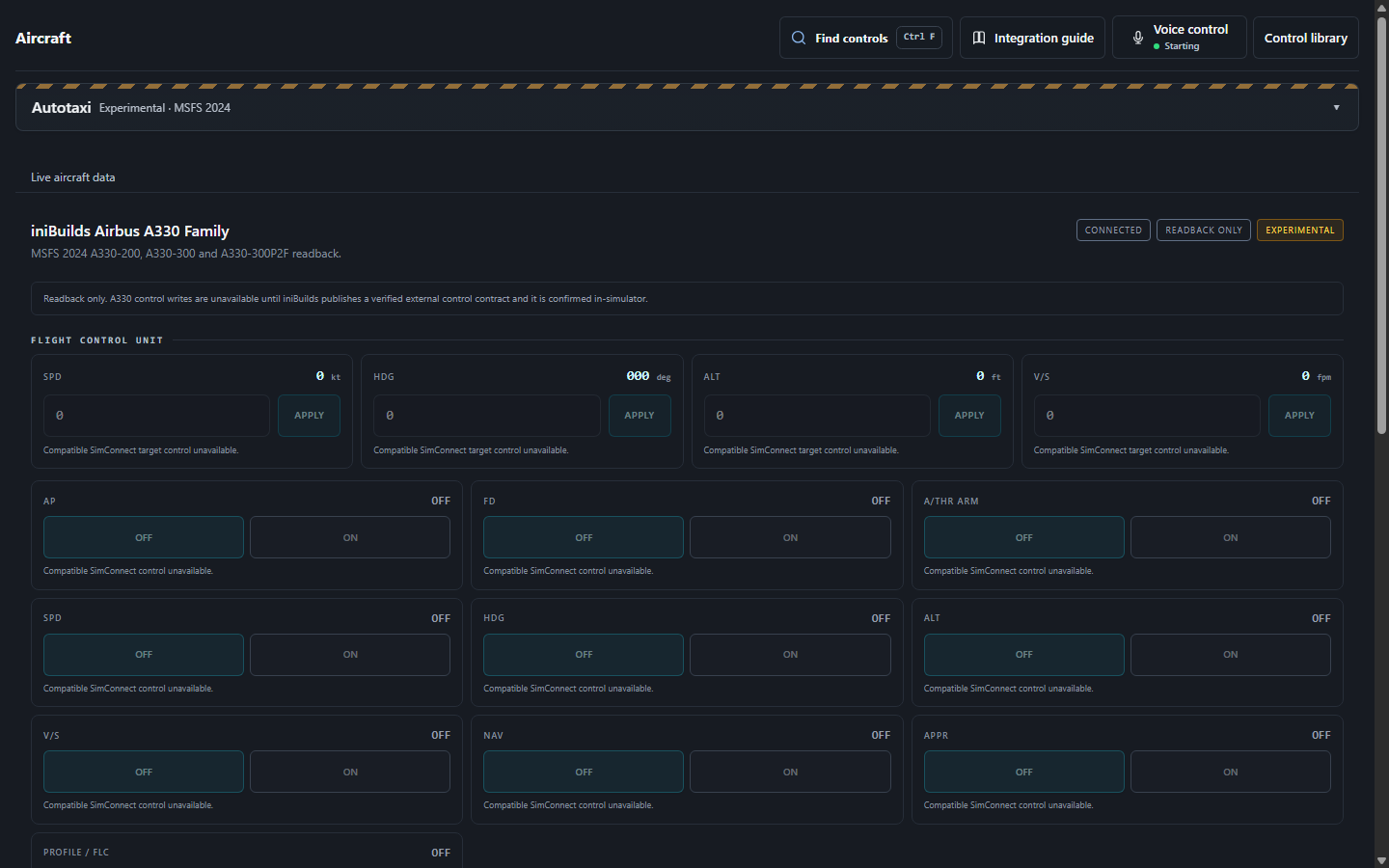
FlightFabric follows your iniBuilds A330 flight and reads 45 live cockpit values from it, covering flight guidance, exterior lights, aircraft systems, controls. It does not have a control set for this aircraft yet. This page lists exactly what FlightFabric 0.10.2 does with it, taken from the app’s own catalogue.
- 1Aircraft covered
- 45Live cockpit values
Aircraft covered
Load this aircraft in MSFS 2024 and FlightFabric switches to its live-data layout by itself. There is nothing to configure in the app.
- iniBuilds Airbus A330 Family (MSFS 2024)
Vendor: iniBuilds / Microsoft. Other A330 products from other developers are not covered by this page.
How the app labels it: Readback only Experimental
When connected it reports: “Readback only. A330 control writes are unavailable until iniBuilds publishes a verified external control contract and it is confirmed in-simulator.”
What you need
- FlightFabric 0.10.2 on the Windows PC that runs Microsoft Flight Simulator 2024, with the aircraft installed. MSFS and the aircraft are separate products; FlightFabric is free and needs no account.
- Voice control is optional and runs offline in the desktop app; the voice-control guide covers microphone and push-to-talk setup in five steps.
Live cockpit data
The Aircraft page shows these 45 values as the aircraft reports them, next to the controls that change them. What you see is the switch position in the cockpit, not what the app last asked for.
Flight guidance 15
- Speed value
- Heading deg
- Altitude ft
- Vertical speed fpm
- AP master
- Flight director
- Autothrottle active
- Autothrottle armed
- Altitude hold
- Heading hold
- NAV hold
- Approach hold
- Vertical speed hold
- Flight level change
- Speed hold
Exterior lights 8
- Strobe
- Beacon
- NAV
- Logo
- Wing
- Landing
- Taxi
- Runway turnoff
Aircraft systems 12
- Engine 1 N1
- Engine 2 N1
- Engine 1 running
- Engine 2 running
- Fuel total pct
- Fuel total weight lbs
- Gross weight lbs
- Cabin altitude ft
- Cabin vertical speed fpm
- Cabin delta pressure psi
- Outside air temperature C
- Mach
Controls 10
- Flaps percent
- Flaps index
- Flap angle deg
- Speedbrake percent
- Spoilers armed
- Gear handle down
- Gear nose pct
- Gear left pct
- Gear right pct
- Parking brake
Verification status
FlightFabric 0.10.2 has no aircraft-specific controls for the iniBuilds A330, so there is nothing to verify beyond the standard controls above. The live values are read straight from the aircraft.